

Meetings
Talk, and get the conversation back written up.
Bevios hears your side and theirs through the Mac itself, so a video call and a table are the same thing to it. Nothing joins the call.
How it works
Three things happen, and you watch all of them.
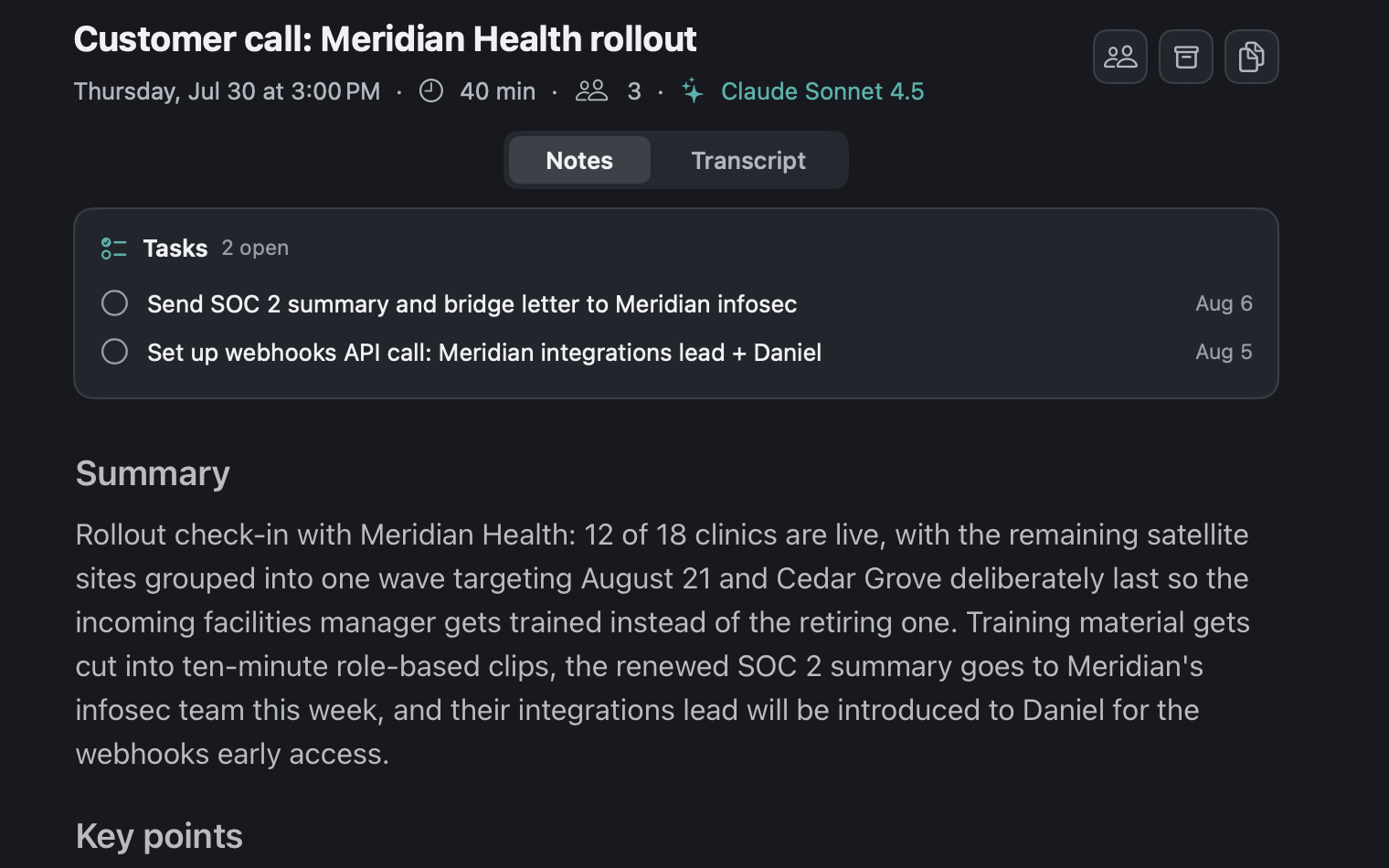
No bot joins the call
Bevios listens through your Mac itself, so nothing turns up in the participant list and nobody has to admit a robot to the meeting. A conversation across a table works exactly like a video call.
The notes write themselves
What was discussed, what was decided, and who owes what — in minutes, in your words rather than a wall of transcript. A meeting that runs long is never cut off mid-sentence.
The follow-ups are already filed
Whatever you promised is a real task with a real deadline before you have closed the window. Months later, you can still find who said it.
The awkward cases
It behaves like something that has sat through a meeting before.
Most of the design here is about the awkward cases: the call that starts late, the aside you did not want recorded, the conversation that carries on after the call drops.
Starts with your calendar
Title and attendees fill in from the event, whether you start early, late, or from the menu bar.
You can see it working
Every stage is named while it runs, so a long meeting never leaves you guessing. The transcript arrives first and the notes fill in behind it.
Pause and resume
A private aside stays out of the file, and the timestamps stay seamless either side of it.
Stops itself when the call ends
It waits first, so a conversation that carries on after the call drops is never cut off. In person, it only ever asks.
Offers to help, once
An optional nudge before a calendar event, or when call software starts using the microphone. Never two nudges for one meeting.
Any call software
Because it listens to system audio rather than a platform's API, the app is irrelevant — Zoom, Meet, Teams, Webex, Slack, Discord, FaceTime, or two people in a room.
The transcript
A transcript you can correct.
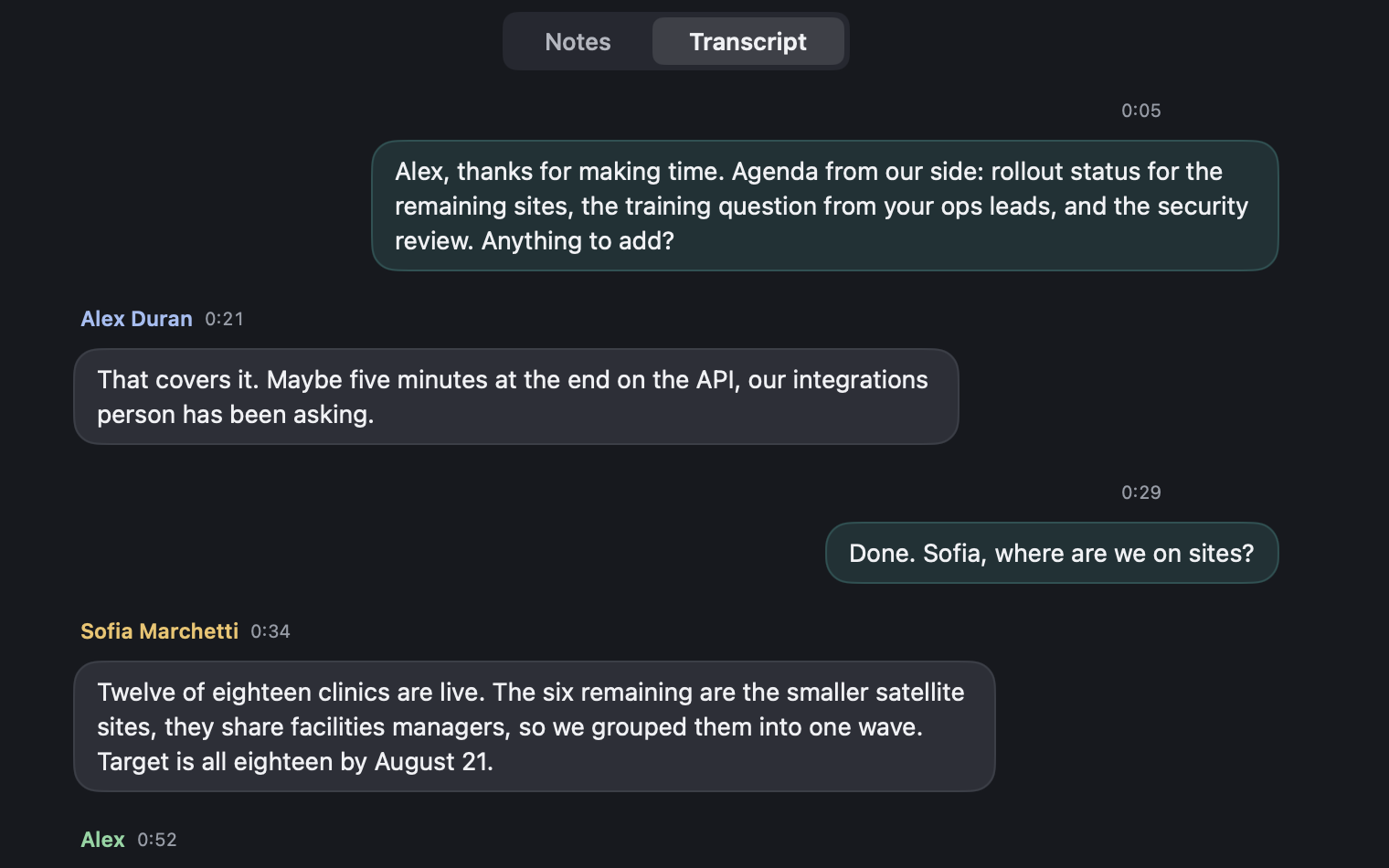
The conversation reads as one bubble per turn — your side on the right, everyone else on the left with a name and a timestamp.
Teach it your vocabulary
Product names, colleagues, acronyms. Terms you add in settings bias the transcription itself, so it stops guessing at the words your work actually runs on.
- Fix a turn. Edit the text in place, or reassign it to another speaker.
- Name the speakers once and everything updates instantly, with no second pass over the audio.
- Search the conversation with speaker:, after: and before: filters. Clicking a match jumps to that moment.
Your audio
What happens to the audio.
It exists to produce the transcript, not as an archive — and this is the one part of Bevios that deletes things on purpose.
Temporary by default
Meeting audio is captured and held on your Mac, then uploaded to be transcribed. The local file is swept on the schedule you pick in Settings → Meetings → Delete local audio — after upload, 7 days, 30 days, or never. The default is 7 days.
If processing fails, nothing is deleted. The meeting keeps its audio and offers a retry that resumes from the stage that failed rather than starting over.
The transcript and the notes are what Bevios keeps. Those live in your account so they sync between your Macs, which means Bevios can read them — see Your data for the whole picture.
Copy as markdown
Either pane, one click, straight into whatever you write in next.
Nudges know the difference
Bevios recognizes call software using the microphone and video-call links in your calendar events. Dictation, voice memos and music never trigger one.
It needs two permissions
Microphone and system audio, both asked for at the point you first record. Calendar access is optional and only affects meeting detection.
The other two.
Get Bevios.
A native Mac app, not a web view in a wrapper. It is invite-only for now: every Bevios user has codes to give away, so the way in is asking someone who already has it.
Download for macOSVersion 0.4.13. You need a code to sign in.
No code? Ask whoever sent you this link, or write to [email protected].
- PlatformmacOS 15 or later
- Meetings needMicrophone and system audio
- Calendar accessOptional