

Notes
An editor for the other twenty-three hours.
Markdown all the way down, with blocks, tables, images, PDFs, audio and link cards — and a note that knows what else in your workspace points at it.
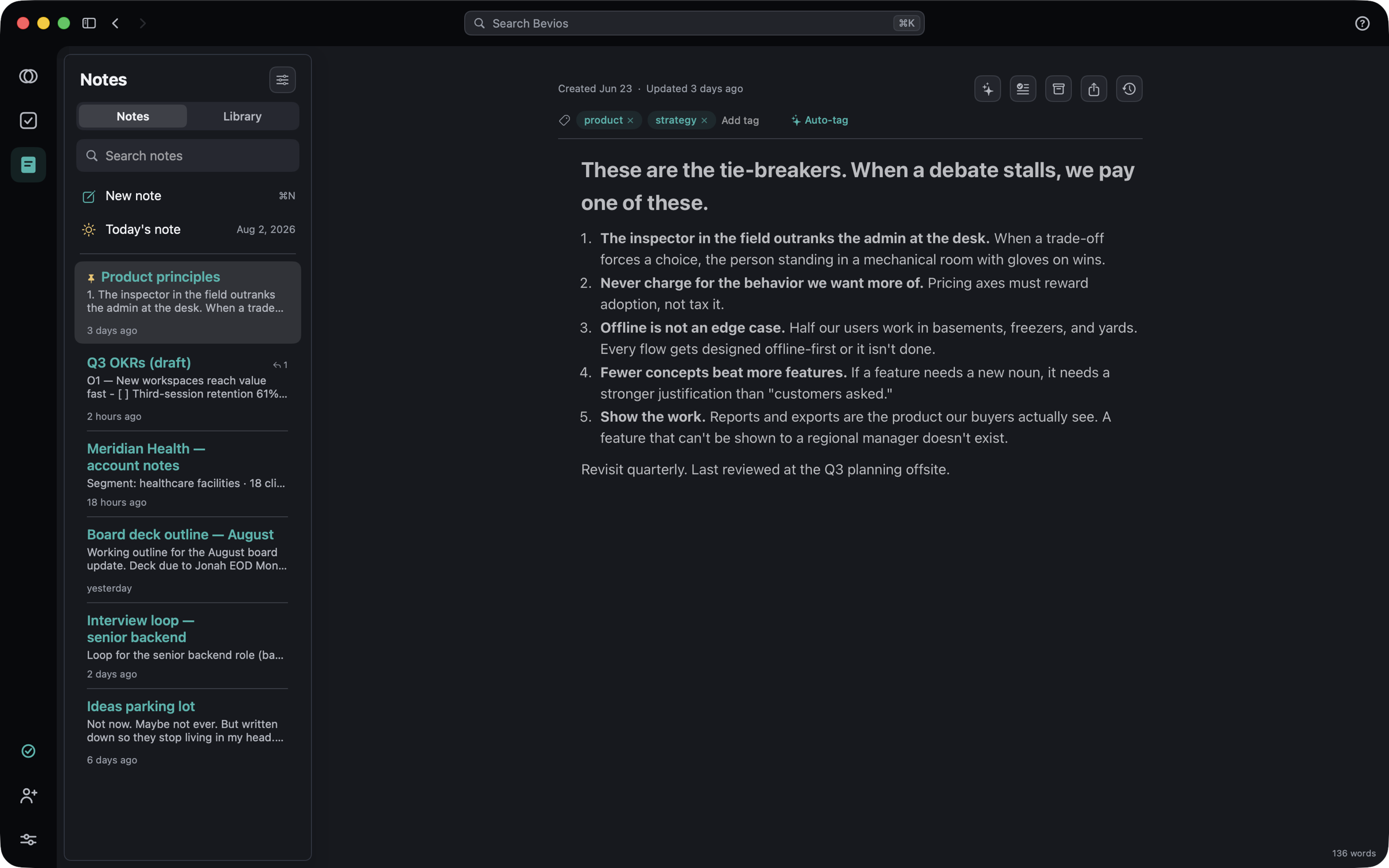
Linked, both ways
A note is a place other things point at.
The editor is the part you touch; the links are the part that makes a year of notes worth keeping.
Links and backlinks
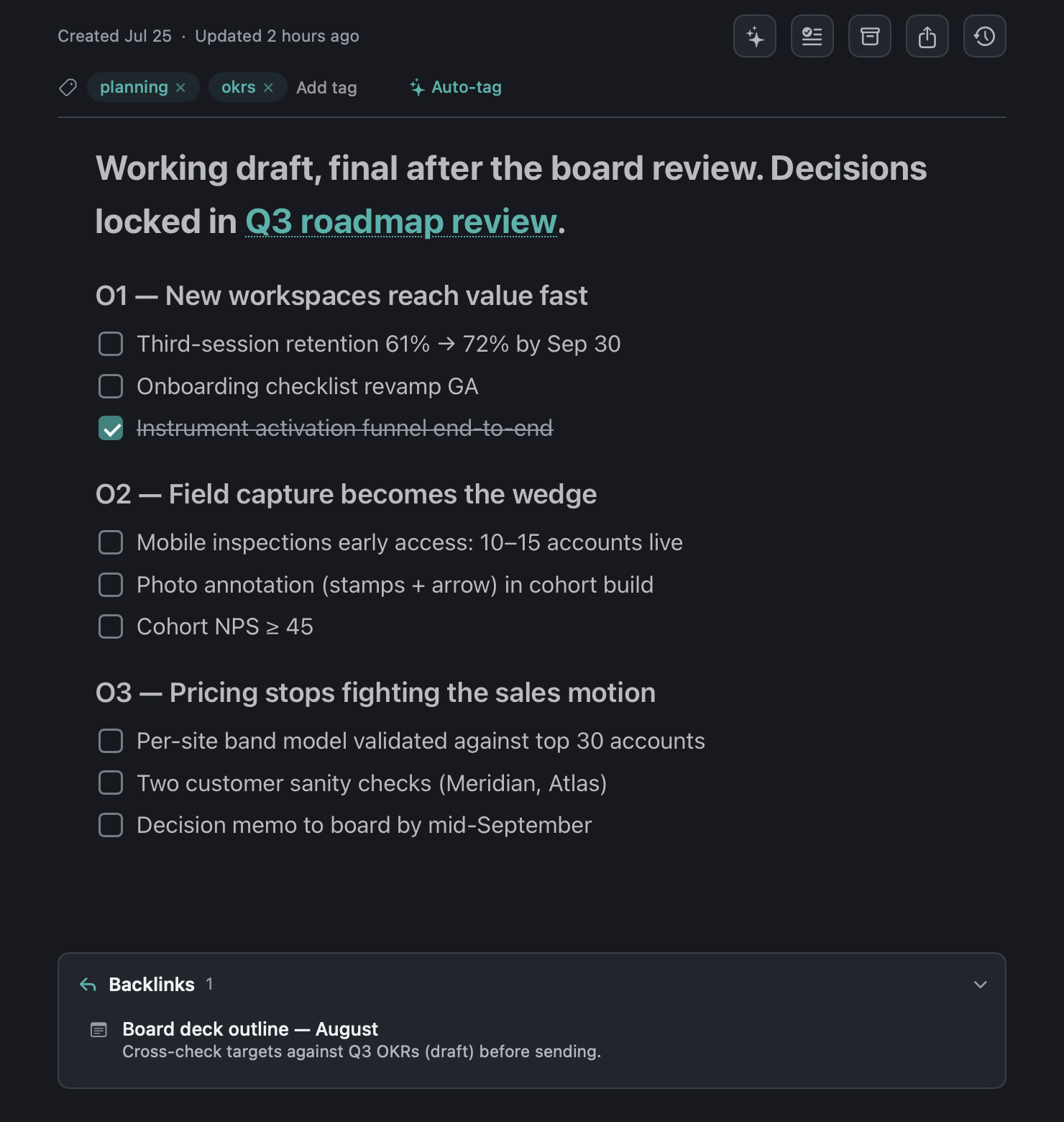
Type [[ to link a note or a meeting. The link works in both directions without you maintaining anything.
- A Backlinks card at the foot of every note shows who points here.
- Meetings are linkable too, so a project note can point at the call it came out of.
- Tags are places. Pin them, refine them with the lens, and save the result as a view.
Checklists become real tasks
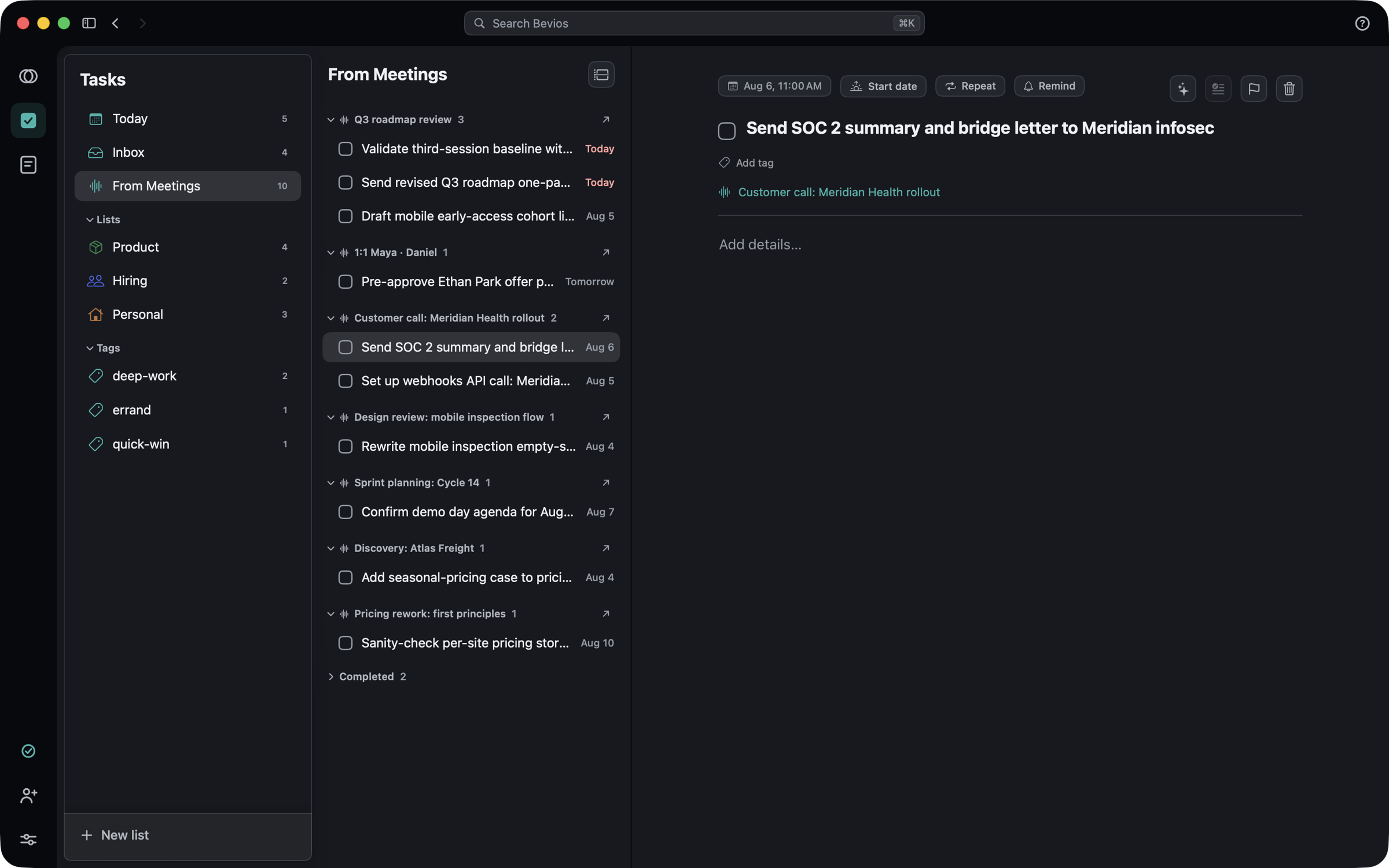
A checklist in a note is not a second copy of your task list. It is the same task.
- Promote a checklist and it stays linked both ways.
- Rename, remove or check an item in either place and the other follows.
- It lands in Tasks with the rest of your work, not in a silo inside the note.
AI, on a leash
AI that shows you the diff first.
Every AI action in Notes is a proposal. Current on the left, proposed on the right, and nothing changes until you apply it.
Ask for a pass
Clean up, summarize, make concise, continue writing, or retitle. Five actions, all of them on the note you have open.
Read the proposal
The result arrives side by side with what you wrote. Nothing has been written to the note at this point.
Apply, or don't
Applying is a normal edit, which means version history has it and you can still walk it back afterwards.
Tidy leaves your words alone
A separate pass that only fixes formatting, typos and spacing. It is the one to reach for when you want the note cleaned up but not rewritten.
Version history
Snapshots as you write, restore any of them, and the restore itself is reversible — so there is no edit in Notes that is a one-way door.
Locked notes are exempt
AI is unavailable on a locked note, even while it is open, and search matches its title only — never a line of the content.
In and out
Getting things in, and getting them out.
Capture from anywhere
⌃⌥Space floats a panel over whatever you are doing. Bevios also sits in the macOS Share menu, so a page, a selection or an image lands as a note — and a draft is never lost, even if the panel closes.
Find it in two keystrokes
⌘K searches notes, meetings, tasks and tags, with typo-tolerant text and filters for #tag, has:checklist, has:image, has:pdf, has:audio, after: and before:.
It reads your images and PDFs
A screenshot of a receipt is findable by what it says, not just by its filename. The reading happens on your Mac.
Plain markdown, in and out
Export one note with your tags in front matter, or every note at once from Settings → Notes. Import markdown back the same way.
The other two.
Get Bevios.
A native Mac app, not a web view in a wrapper. It is invite-only for now: every Bevios user has codes to give away, so the way in is asking someone who already has it.
Download for macOSVersion 0.4.13. You need a code to sign in.
No code? Ask whoever sent you this link, or write to [email protected].
- PlatformmacOS 15 or later
- Meetings needMicrophone and system audio
- Calendar accessOptional