

Tasks
Type the whole thought in one line.
Call Mia friday 3pm #work !high every 2 weeks becomes a task in the Work list, due Friday at three, high priority, repeating.
Natural language
You can see what you are about to get.
The chips under the field resolve as you type, so natural language never becomes a guessing game about what was parsed.
One line, four decisions
Date, list, priority and repeat all come out of the same sentence. Nothing has to be filled in afterwards.
- The chips are the preview. What they say is what the task will be.
- It works mid-meeting. ⌃⌥Space floats the panel over whatever is in front of you.
- ⇥ switches the panel between a task and a note, so one shortcut covers both.

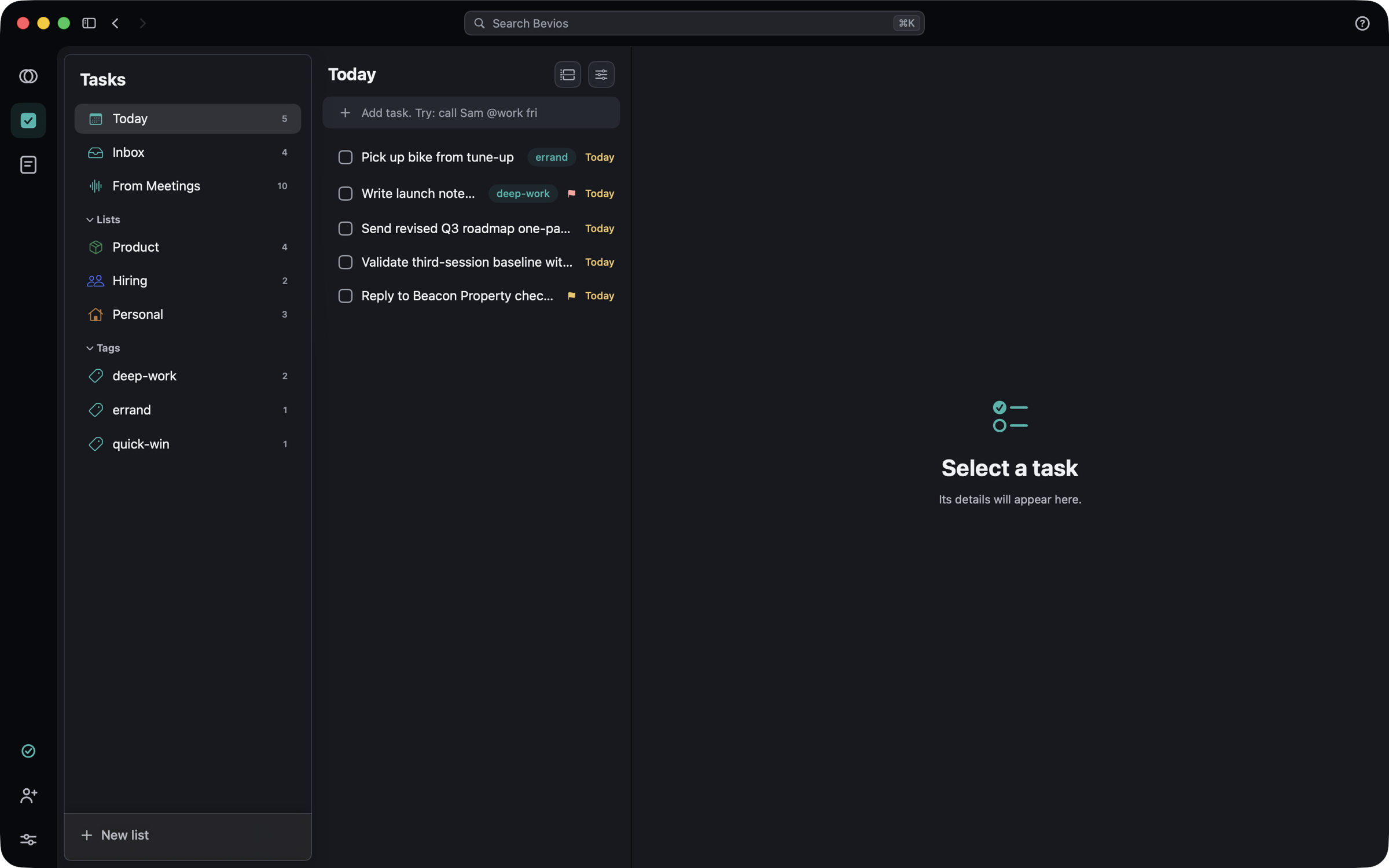
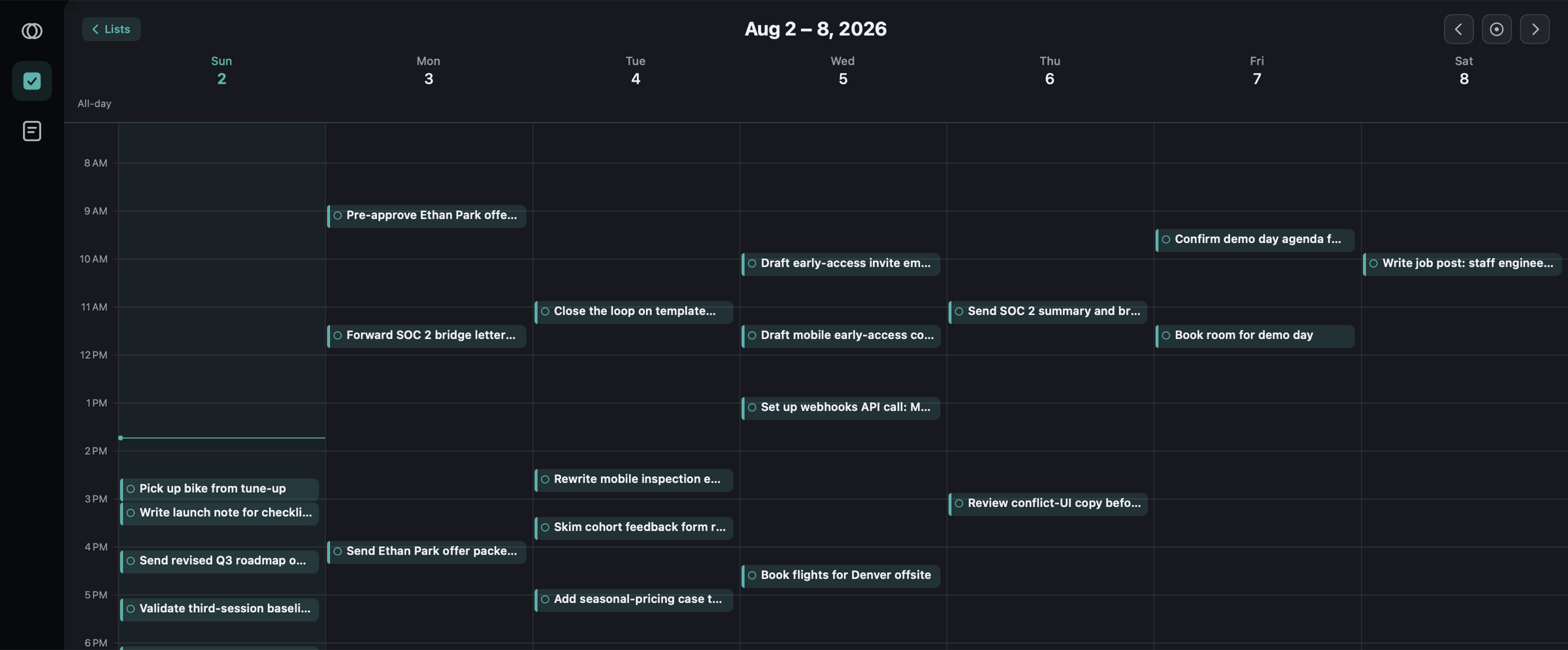
Today is a view, not a list
Tasks keep their homes and the day is yours to plan, so planning today never means moving work out of the list it belongs to.
- The week as a grid. Drag a task to another day or time to reschedule it.
- Your Mac calendar sits alongside, read-only, so you can plan around meetings you already have.
- Nothing is written back. Bevios never puts a task into an external calendar.
Meetings file their own follow-ups
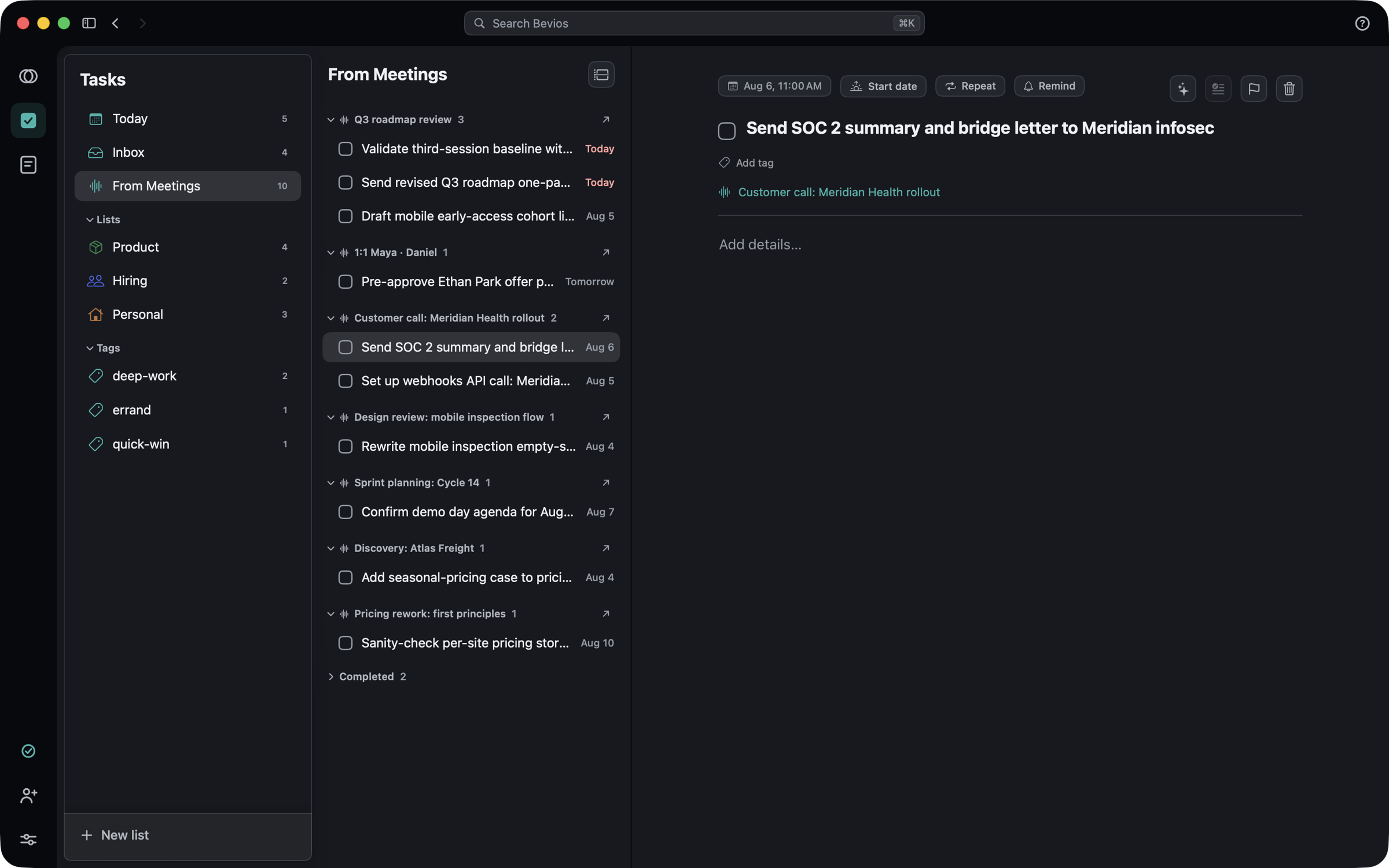
Whatever you promised on a call is a real task before you have closed the window, in the same place as the rest of your work.
- Action items land in From Meetings, grouped under the call they came from.
- Every one links back. Months later you can still find who said it.
- They are ordinary tasks. Move them, schedule them, or put them in one of your own lists.
The details
The small things that decide whether you keep using it.
Reminders that do something
Mark done, snooze ten minutes, or postpone to tomorrow straight from the notification — even with Bevios closed. A reminder you have to open the app to act on is a reminder you learn to ignore.
Nothing is destroyed by accident
Swipes do not delete, and completed tasks are the archive rather than the bin. There is no gesture in Tasks that loses work.
Your calendars stay yours
Bevios reads your Mac calendars to lay events alongside your week and to name meetings. You pick which ones are visible in Settings → Calendars.
The other two.
Get Bevios.
A native Mac app, not a web view in a wrapper. It is invite-only for now: every Bevios user has codes to give away, so the way in is asking someone who already has it.
Download for macOSVersion 0.4.13. You need a code to sign in.
No code? Ask whoever sent you this link, or write to [email protected].
- PlatformmacOS 15 or later
- Meetings needMicrophone and system audio
- Calendar accessOptional