
Your notes, tasks, meetings and calendar in one app.

Capture meeting notes, organize ideas, turn checklists into tasks and schedule time to work on them.

macOS 14.2 or later · Free during beta

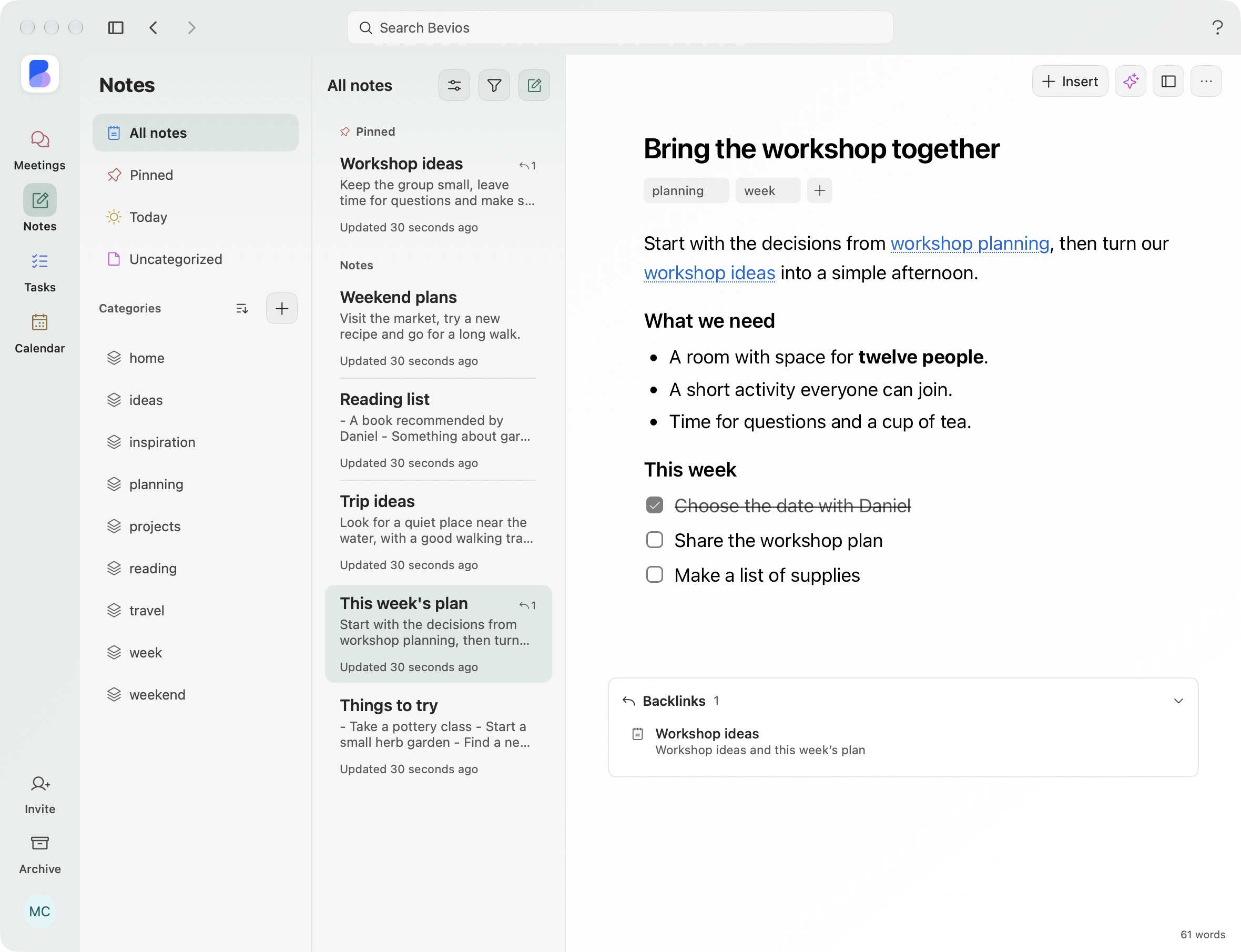
Bevios Notes showing the weekly plan, linked documents, categories and a checklist.

This week’s plan, with linked decisions and next steps.

Select an image to view it at full size.

From a conversation
to time on your calendar.

Follow a workshop conversation into a weekly plan. Keep the next step linked to its note and meeting, then reserve time to share it.
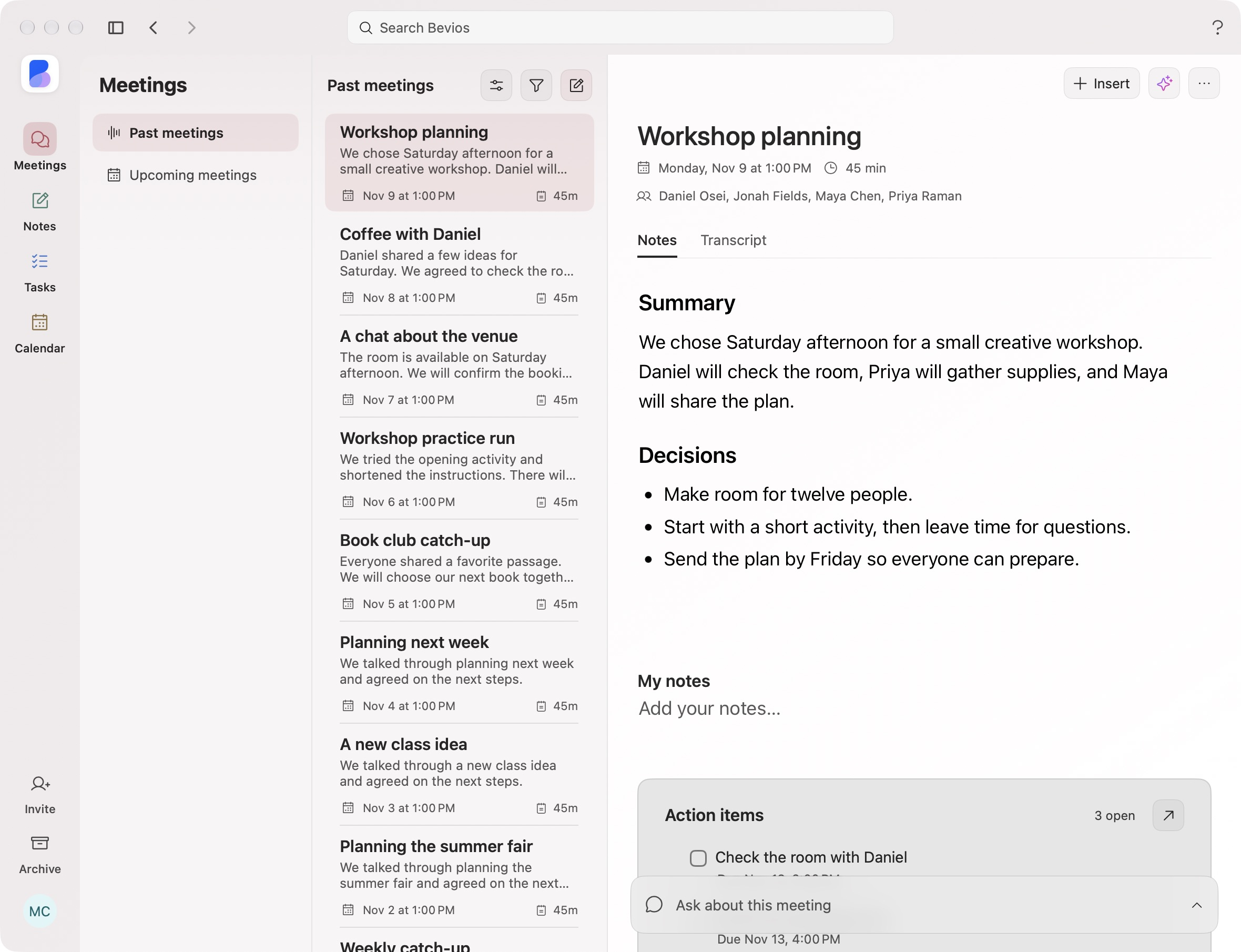
Bevios Meetings showing Workshop planning, meeting summary and decisions.

Bevios Meetings · Workshop planning

Start with a note, a task or a meeting. Connect them when you need to.
Be in the conversation.
Keep the details.

Prepare before a call, take notes without a bot joining, and return to the transcript and action items afterward. Keep recurring conversations together and ask across the series.

  • Live transcripts and useful summaries
  • Follow-ups linked to their meeting
  • Ask about one meeting or a recurring series
Explore Meetings

Keep the conversation with your working plan.

Explore Notes
Bevios Meetings showing the workshop conversation, summary and decisions.

Write it down.
Find it when you need it.

Bring in your existing notes, then keep writing. Arrange blocks, add images and tables, organize with categories and pins, and turn checklists into linked tasks.

  • Import notes and organize with categories and pins
  • Rearrange blocks, images and tables
  • Checklists that become real tasks
Explore Notes

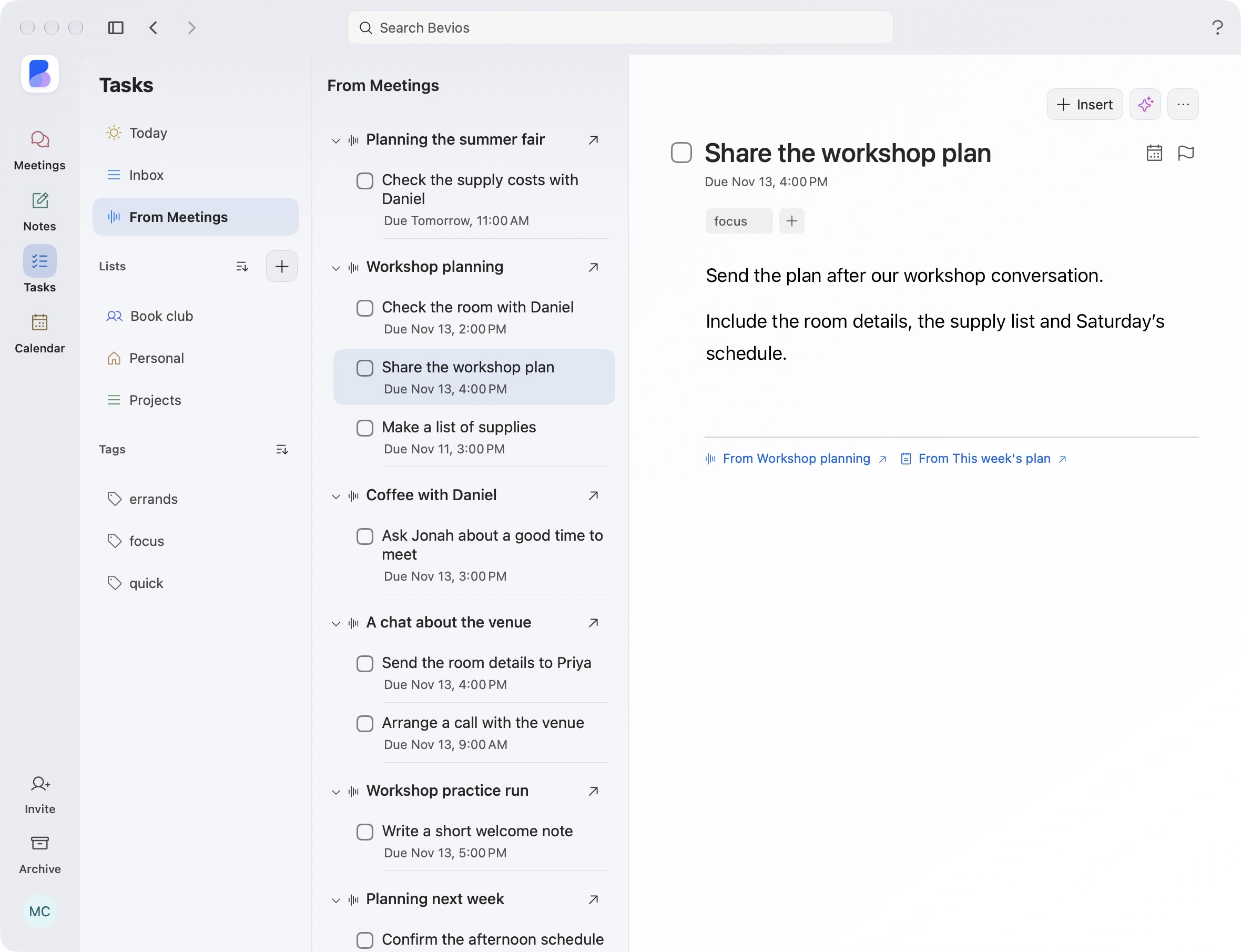
Create tasks that link back to the note.

Explore Tasks
Bevios Notes showing categories and This week’s plan with a linked meeting and checklist.

This week’s plan with categories, linked documents and a checklist.

Organize what
needs doing.

Bring tasks in from Reminders or Todoist. Organize work with lists, tags and subtasks, capture dates as you type, and keep the note or meeting behind each follow-up.

  • Lists, cross-list tags and nested subtasks
  • Type dates, priorities and repeat rules
  • Keep the original context one click away
Explore Tasks

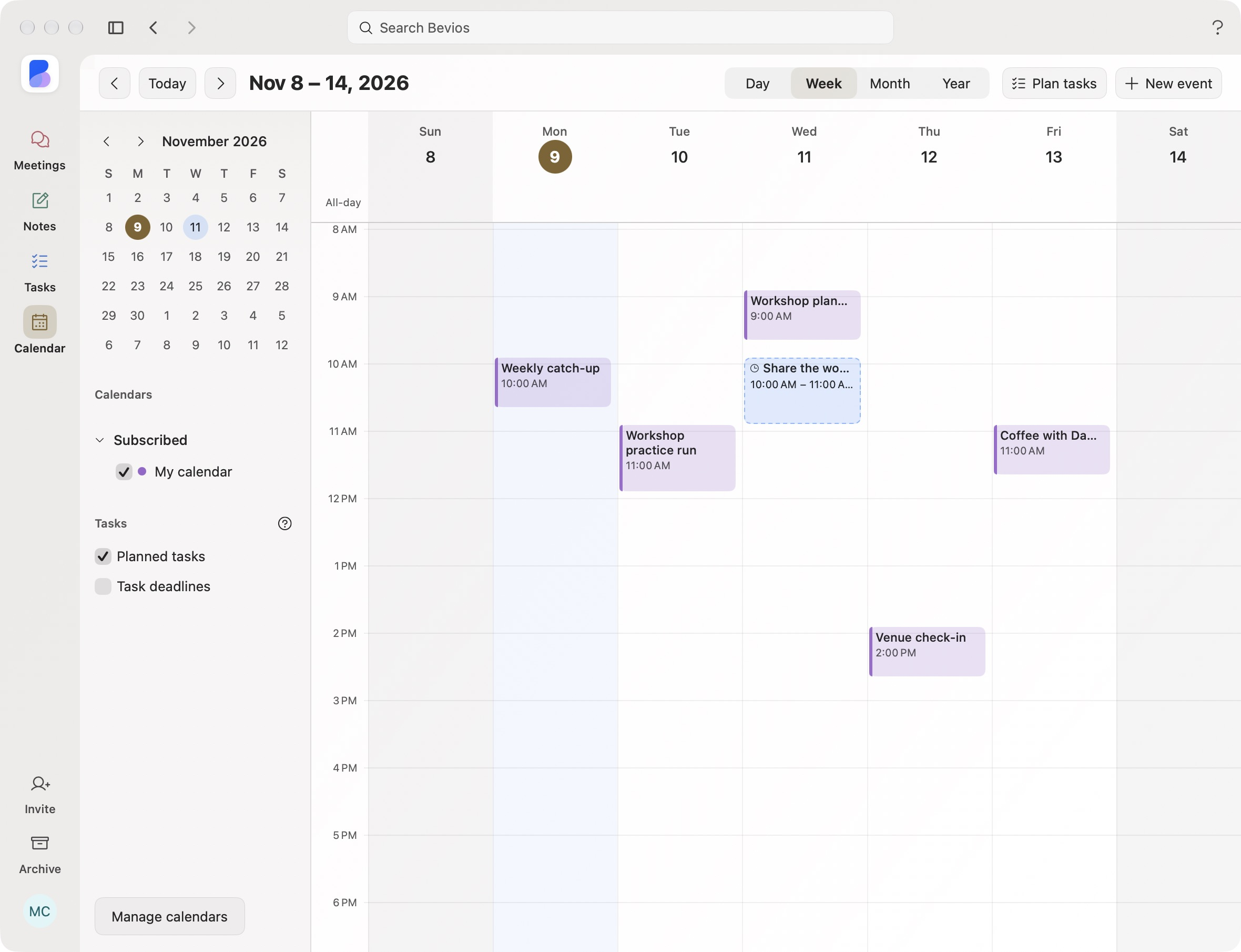
Choose when to work on a task.

Explore Calendar
Bevios Tasks showing Share the workshop plan with its focus tag and links to its source note and meeting.

A task linked to its source note.

Make time for what
you need to do.

See the day, week, month or year. Plan tasks beside your events, drag work into a time slot, and resize or move a session without changing its deadline.

Explore Calendar

The work session links back to the task.

Explore Tasks
Bevios Calendar showing team events and planned workshop time

Bring the work you already have.

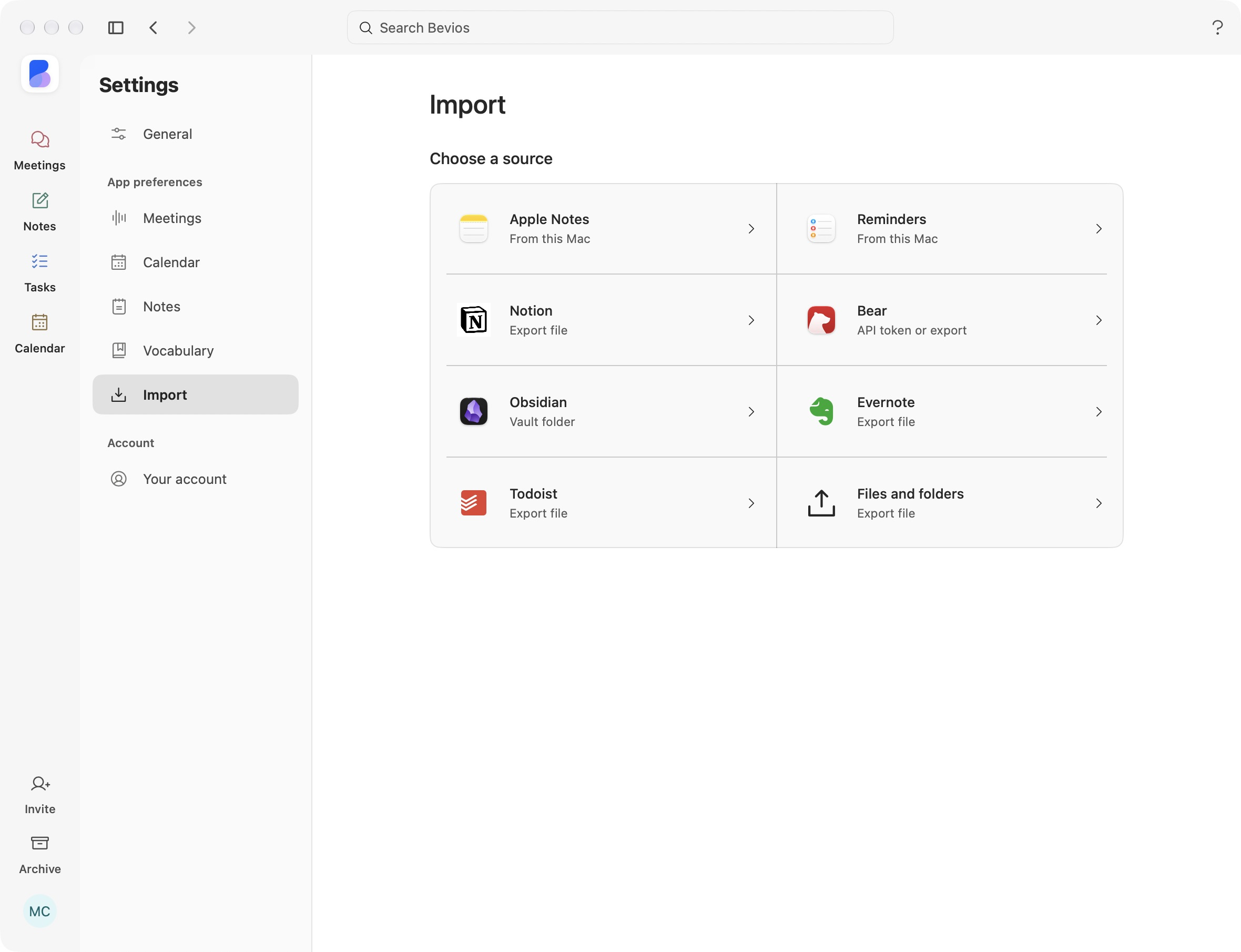
Copy notes from Apple Notes, Obsidian, Bear, Notion or Evernote. Bring tasks from Reminders or Todoist, or choose files and folders.

Choose what to copy, preview the content and review warnings before importing. Imports are one-time copies. Your originals stay unchanged.

Formatting and attachment support vary by source. Review any items that could not be copied.

Explore note imports
Bevios Import chooser with Apple Notes, Reminders, Notion, Bear, Obsidian, Evernote, Todoist, and files and folders.
Choose a source in Settings > Import. Select the image to view full size.

Your notes and the work
that comes next. Together.

Keep the conversation behind a task, the checklist inside your note and the time to do it on your calendar.

Download for Mac

macOS 14.2 or later · Free during beta